First of all, setup G Hub
Unfortunately, G Hub no longer displays all force feedback settings for the G29.
This is a known “issue” after Logitech moved many features to the game instead of the G Hub.
The Logitech G29 is an “older” model and the G Hub only shows:
- Operating Range (rotation)
- Sensitivity
- Centering Spring
Possibly some buttons/lighting settings Full Force Feedback for G29 are controlled entirely from the game — not in G Hub.
The only important thing in G Hub is:
-
Operating Range:900°
-
Sensitivity:50
-
Centering Spring:OFF
-
Centering Strength0 %
That’s all you need from G Hub for G29.
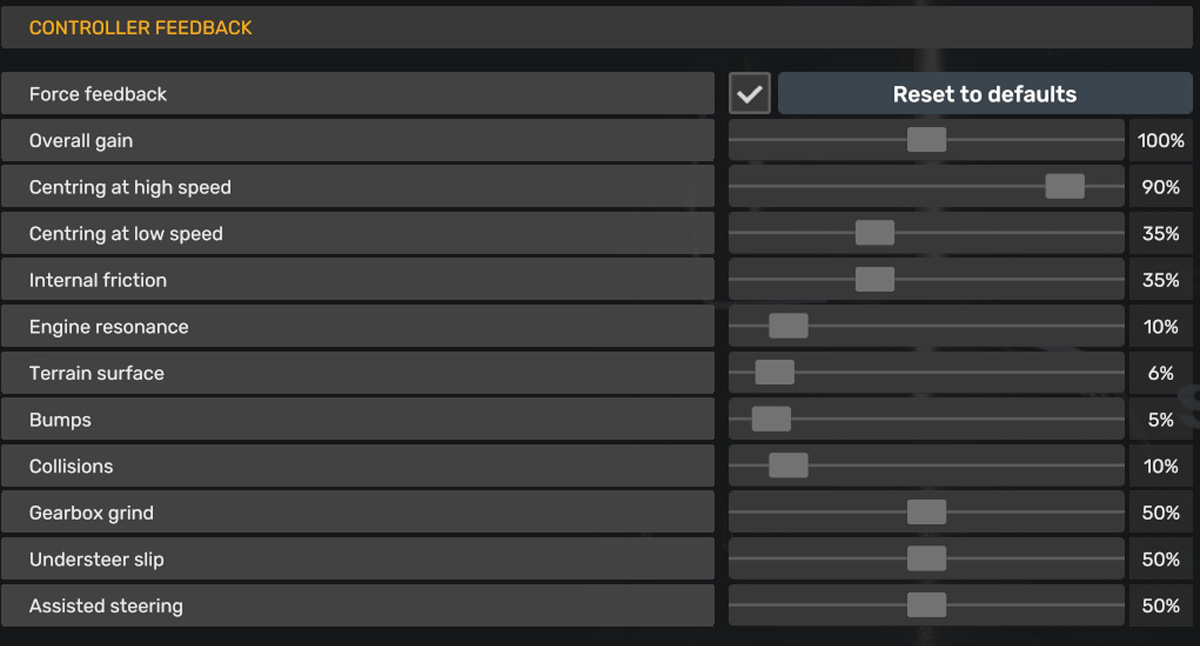
My ETS2 Force Feedback Settings for Logitech G29
-
Overall gain100 %
-
Centering high speed90 %
-
Centering low speed35 %
-
Internal friction35 %
-
Engine resonance10%
-
Terrain Surface6 %
-
Bumps5 %
-
Collisions10 %
-
Gearbox grind50 %
-
Understeer slip50 %
-
Assisted steering50 %
-
Terrain surface vibrationNOT IN USE
-
Bumps vibrationNOT IN USE
-
Collisions vibrationNOT IN USE